skip to content
Samuel Zuo
Sundial app icon

Sundial

Screen time for iPhone

A limit should feel like a sundial, not a stopwatch.

Give the apps that eat your day a daily allowance. When the time runs out, iOS blocks the app itself — and the shield repeats the reason you set.

Coming soon to the App Store See how it works

Free to use · Sundial Pro is a one-time unlock · No subscription, ever

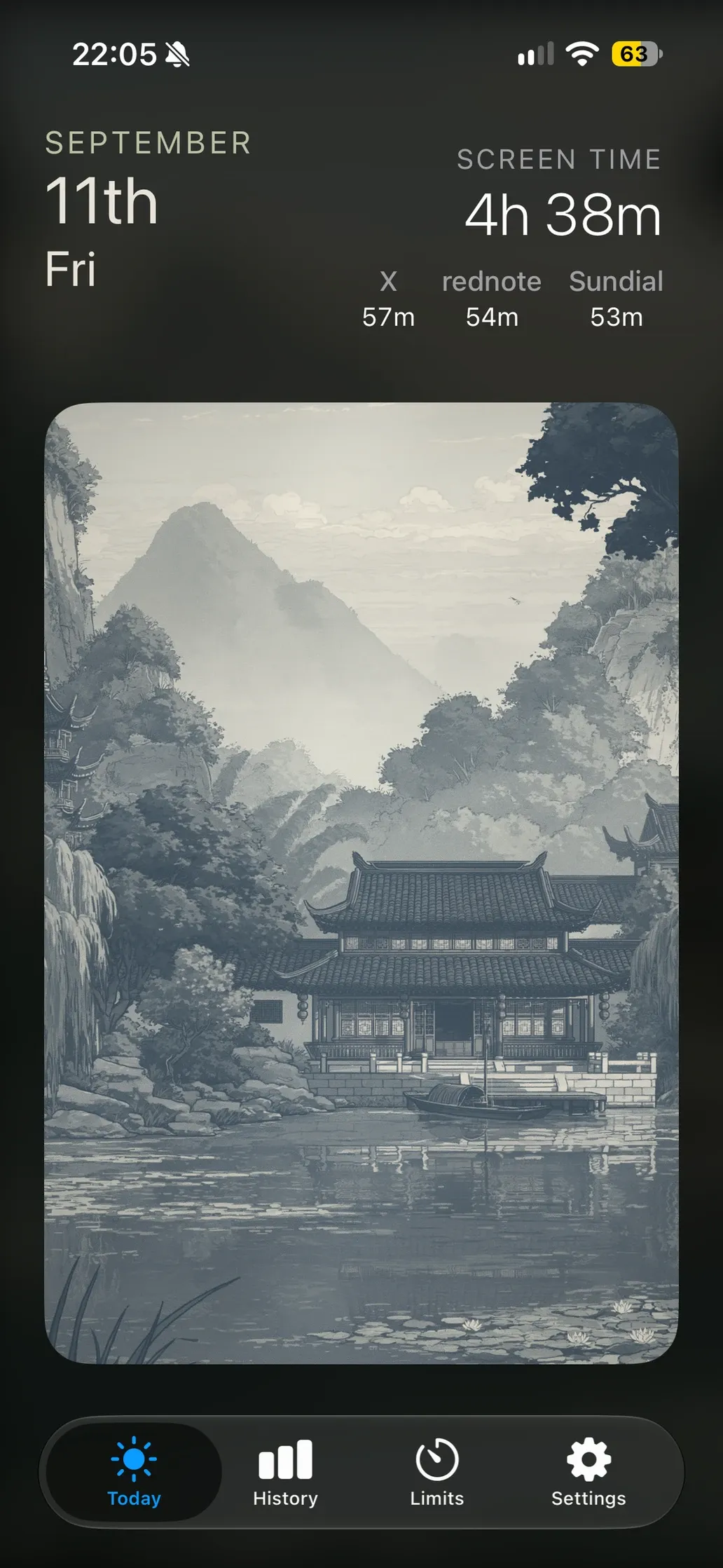
Sundial's Today tab: today's screen time, a health reading, and an ink-wash landscape.

01 Limits

Limits that actually shield

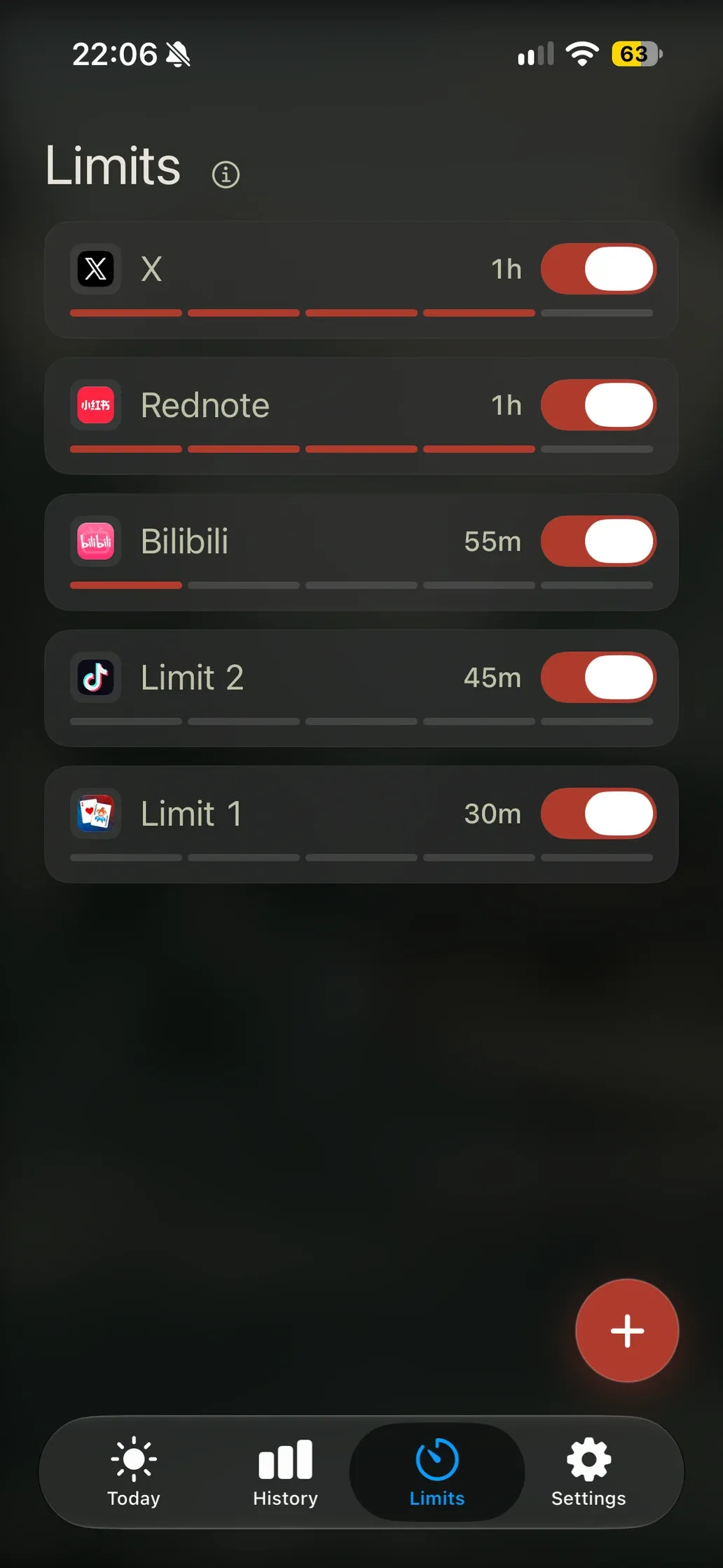
Give any app or category a daily allowance. One rule can hold as many apps as you like. When the time is up, iOS blocks the app itself — not a timer you can swipe away.

  • Any app, or a whole category
  • One rule can hold many apps
  • Resets at midnight on its own
Sundial's Limits tab, listing rules for X, Rednote, Bilibili and two app groups with their daily allowances.

02 The shield

A block that says why

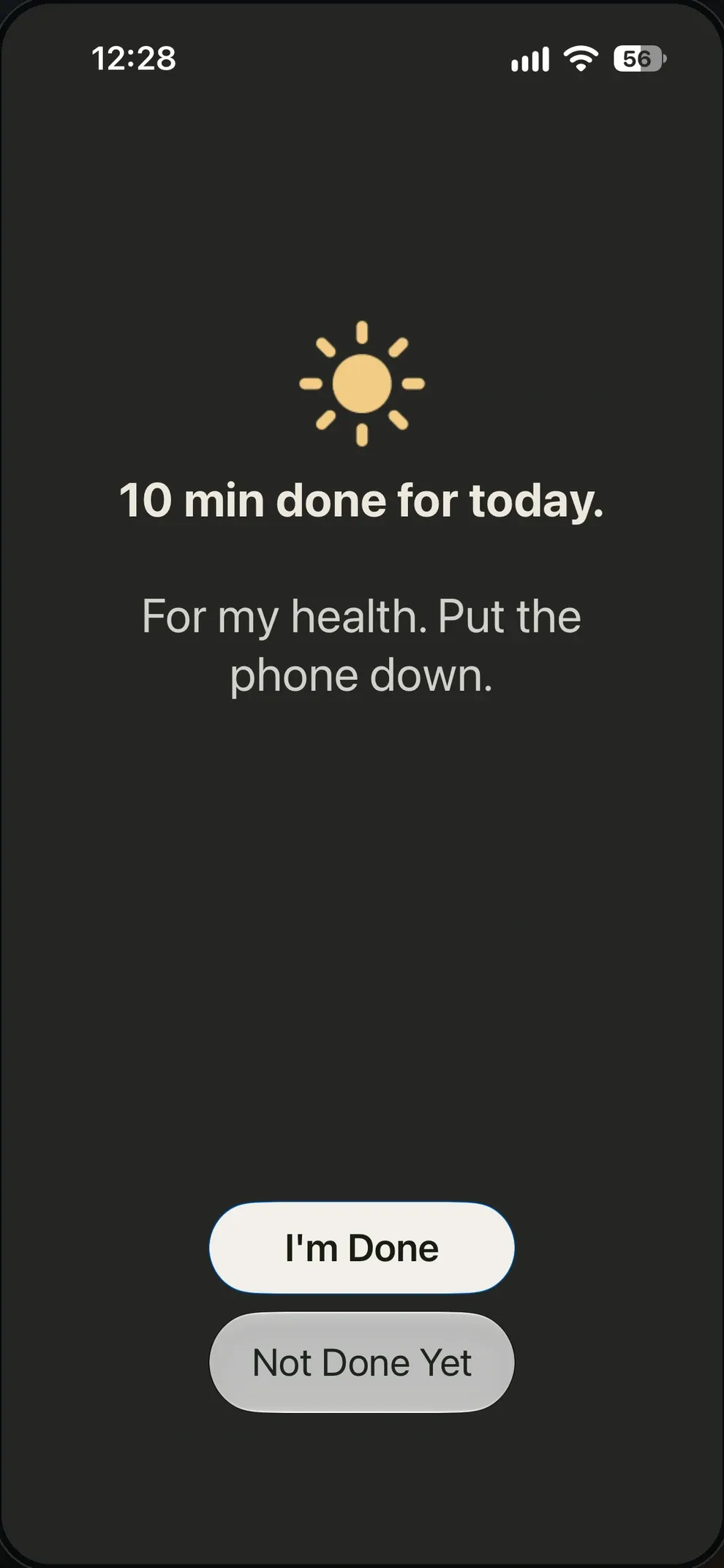
Every shield first says what you finished — “10 min done for today.” Then it repeats the reason you set that rule: “For my health. Put the phone down.” The exit stays yours.

  • Finish for today, and keep the limit
  • Take 15 more minutes
  • Lift that rule until midnight
Sundial's app shield: a sun icon, the line '10 min done for today.', the reason 'For my health. Put the phone down.', and two buttons.

03 History

A year in one heatmap

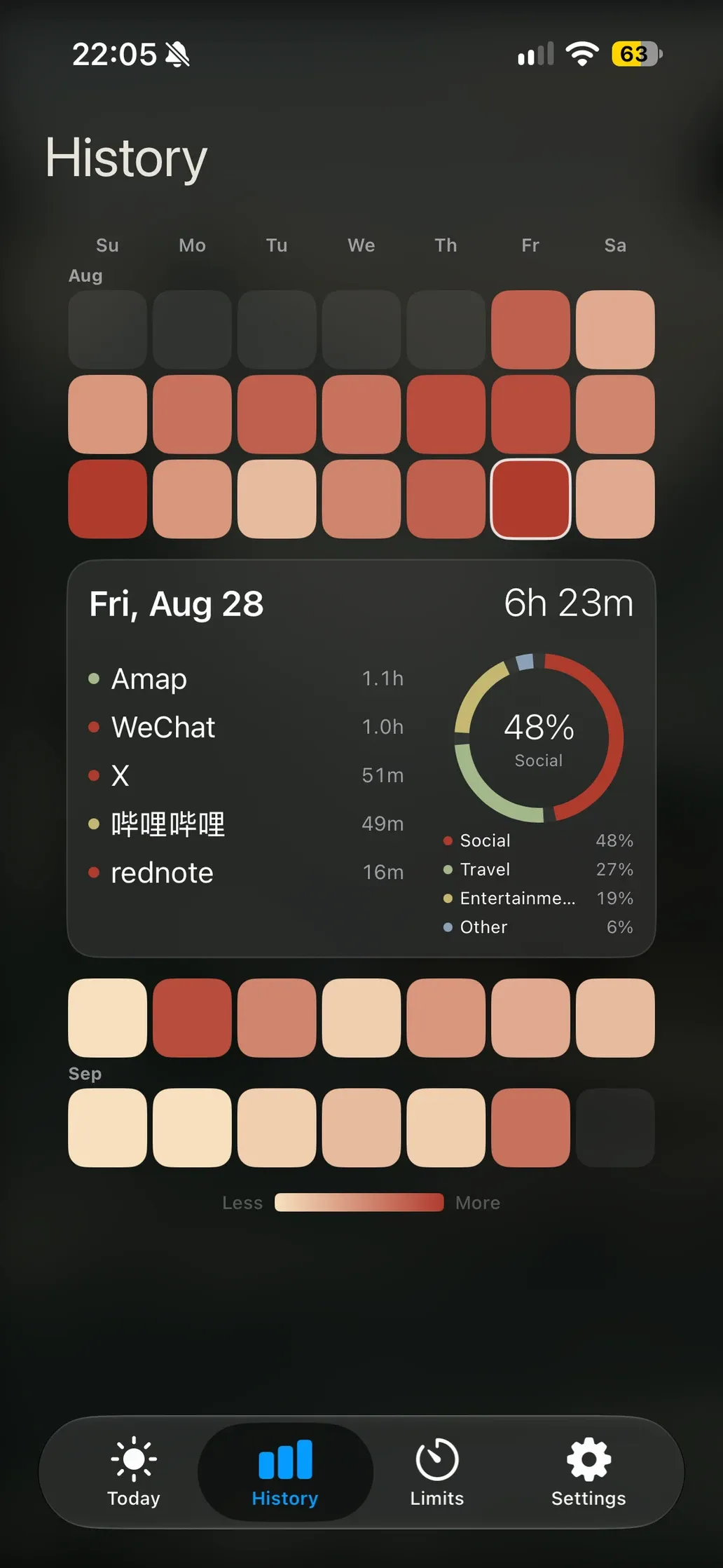
A whole year of days in one heatmap, shaded by how much you used. Open any day for the detail: which apps, which categories, and how they compare with your limits.

  • A year at a glance
  • Per-day app and category detail
  • Each day against its limits
Sundial's History tab: a year of days as a warm heatmap, with one day opened to show apps, categories and total time.

04 Set up

Set one in 20 seconds

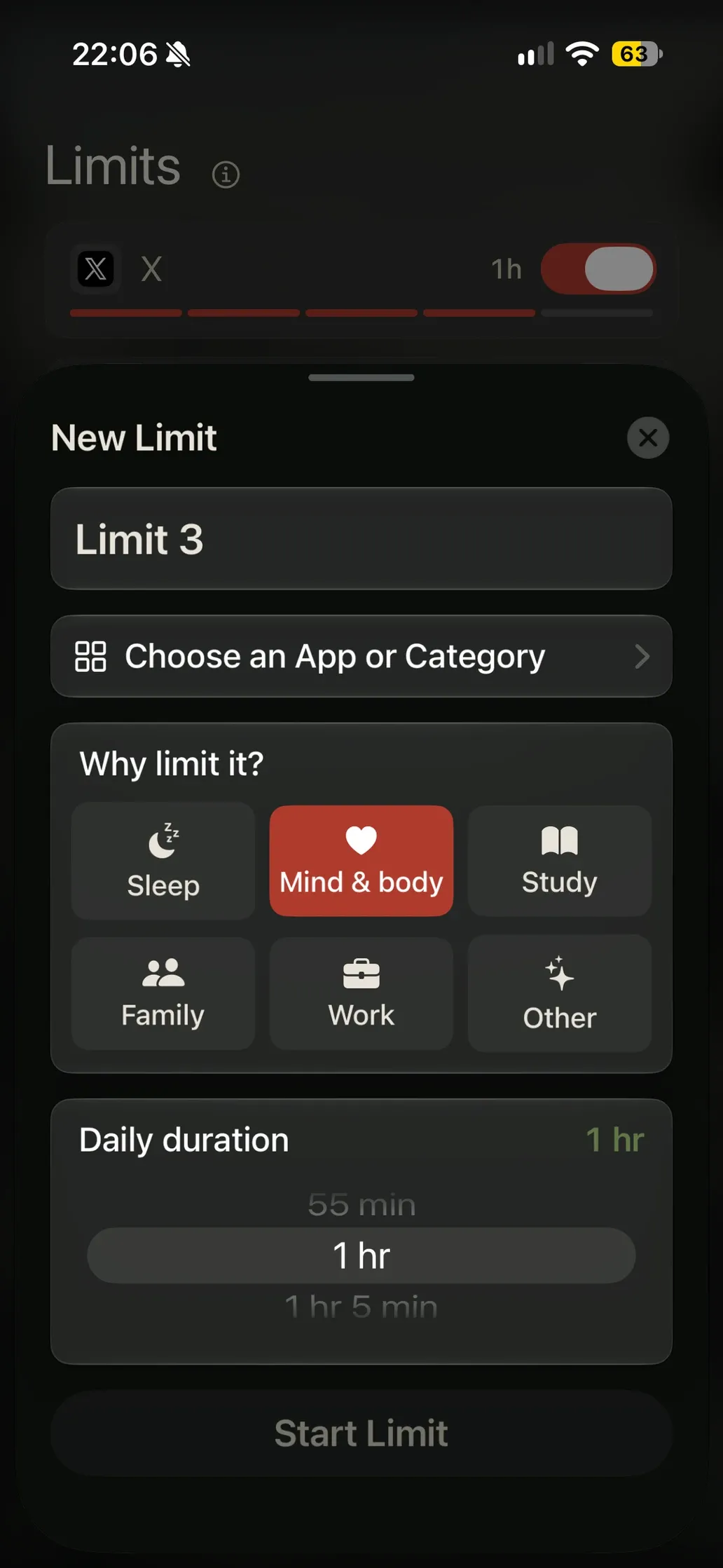
Pick the apps, name the rule, choose a duration, and say why it matters. That reason is what greets you later, at the exact moment it counts.

  • Pick apps or a category
  • Name the rule and the reason
  • Choose a daily duration
Sundial's New Limit sheet: a name field, app picker, a grid of reasons such as Sleep, Mind & body, Study, Family, Work and Other, and a daily duration wheel.

On your Home Screen

Today's figure and your most urgent rules live on the Home Screen, small or medium.

A health score

A running estimate of today's screen time, draining as the hours do.

Midnight reset

As the day turns, every limit refills. No streak to keep, no guilt to carry.

05Quiet by design

No account. No server. No analytics. No ads.

Sundial reads only your total usage time through Apple's Screen Time framework — never what you do inside an app. Usage, limits and settings stay on your iPhone.

Sundial Pro

One purchase. Yours for good.

No subscription, nothing to cancel. Pro opens up every theme colour, every background scene, and the Home Screen widget. The heart of the app — limits, shields and history — is free.

One-time unlock
  • Every theme colour
  • Every background scene
  • Home Screen widget, all sizes
No subscription. Ever.

Put the phone down on time.

Coming soon to the App Store

Requires the Screen Time permission (Settings → Screen Time → Sundial). iPhone, iOS 27 or later.